

Download Justin.tv APK – Live Video Broadcasting, Mobile Streaming, Android App
Overview
Justin.tv is a mobile application designed for live video broadcasting from Android devices, enabling users to stream video content in real time to a global audience. Originally developed by Justin.tv, the app serves as a tool for individuals interested in sharing their experiences, events, or daily activities through live video. It is particularly suited for content creators, hobbyists, gamers, and social streamers who want to connect with viewers directly from their mobile devices. The software operates within the Browser Apps category, reflecting its web-integrated functionality and reliance on online streaming protocols.
Users can leverage Justin.tv to broadcast live from various locations, making it ideal for real-time event coverage, personal vlogging, or interactive gaming sessions. The app supports mobile-based streaming, allowing users to share their screen or camera feed without requiring a computer. Although the developer did not provide additional details about the company’s background, the app has been available since 2011 and has accumulated over 90,000 downloads, indicating sustained user interest over time. The application is free to download and use, with no reported in-app purchases or subscription requirements.
Key Features & Capabilities
- Live Video Streaming – Enables real-time video broadcasting from Android devices, allowing users to share their screen, camera feed, or gameplay with an online audience.
- Mobile-First Design – Optimized for Android smartphones and tablets, providing a lightweight interface that functions efficiently on mobile networks and Wi-Fi.
- Cross-Platform Accessibility – Available not only on Android but also on iPhone and via web apps, ensuring consistent access across different devices.
- Low Resource Footprint – The app is described as lightweight, requiring less storage space than the average app in its category, making it suitable for devices with limited internal memory.
- Simple Setup and Use – Designed for ease of use, allowing users to begin streaming with minimal configuration and no technical expertise.
These features make Justin.tv a practical solution for anyone seeking to go live from a mobile device. For example, a gamer can stream a live match directly from their phone, while a traveler can broadcast their journey in real time. The app’s compatibility with Android 1.6 and higher ensures broad accessibility across older and newer devices. Since the app is free and does not require ongoing fees, it remains an accessible option for users across different economic backgrounds.
User Interface, Workflow & Performance
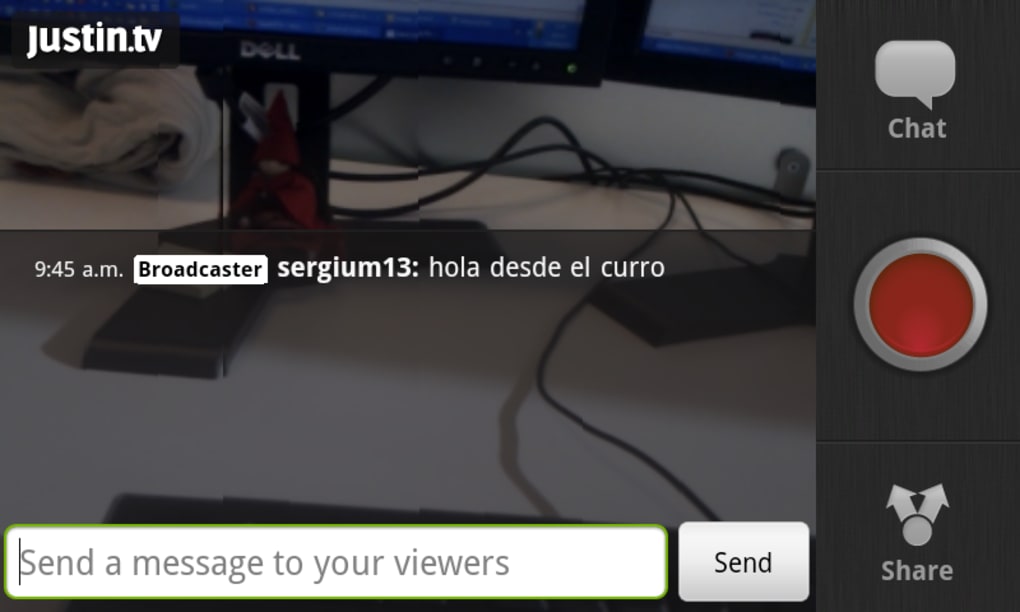
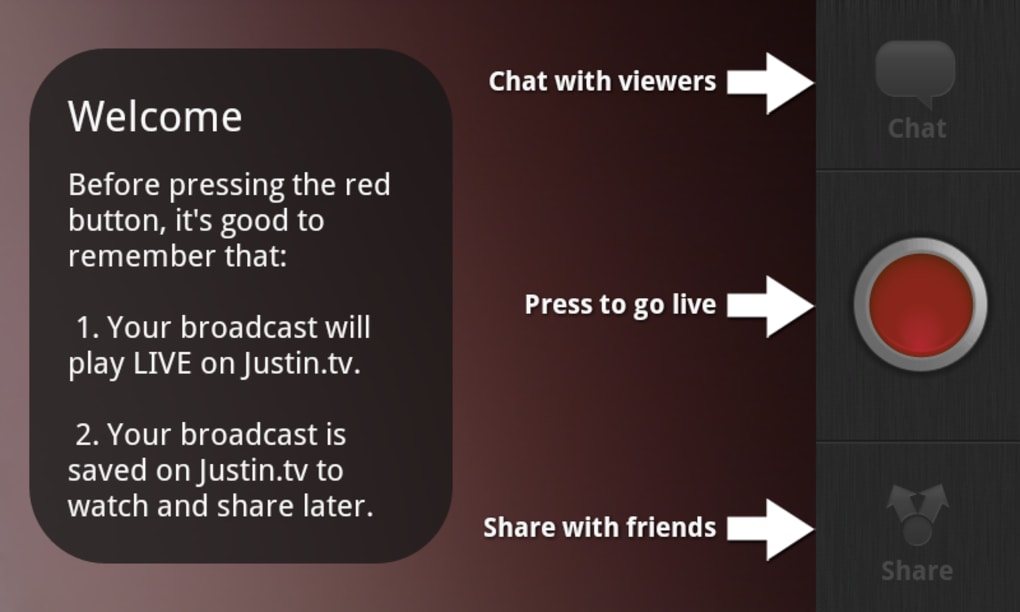
The user interface of Justin.tv is designed with simplicity in mind, featuring a minimal layout that prioritizes core streaming functions. Navigation is straightforward, with essential controls such as start/stop stream, camera toggle, and connection status clearly displayed. The workflow follows a linear path: launch the app, configure stream settings, and begin broadcasting—reducing the learning curve for new users.
Performance details were not specified by the developer. However, given the app’s lightweight nature and its focus on real-time video transmission, it is expected to operate efficiently under standard mobile conditions. The app’s file size of 827 KB suggests low memory consumption and fast loading times. The developer did not specify resource usage details such as CPU or RAM behavior, nor did they provide information on stability under prolonged streaming sessions.
Users can expect a stable experience during typical use, though performance may vary depending on network quality and device capabilities. Since the app has been in use since 2011 and remains functional, it demonstrates long-term reliability. However, no recent performance benchmarks or user-reported issues were included in the provided data.
Compatibility & System Requirements
Justin.tv is compatible with Android operating systems version 1.6 and higher, ensuring support for a wide range of devices released over a decade. This broad compatibility allows users with older Android smartphones to access the app, though performance may vary based on hardware capabilities. The application is available exclusively in English, limiting accessibility for non-English speakers.
The installation size is 827 KB, which is significantly smaller than the average app in the Browser Apps category. This makes it suitable for devices with limited storage space. The developer did not specify exact system requirements beyond the OS version, and no information was provided regarding minimum RAM, processor speed, or GPU support. As such, users are advised to test the app on their devices to confirm functionality.
For users seeking a lightweight streaming solution on Android, the app’s low footprint and broad OS compatibility represent a notable advantage. However, those using newer Android versions may encounter compatibility issues due to outdated code or lack of updates, especially given the app’s last update date of July 7, 2011.
Pros and Cons
Pros
- Free to download and use with no hidden costs
- Lightweight design with minimal storage requirements
- Supports live video broadcasting from mobile devices
- Available on multiple platforms including Android, iPhone, and web
- Simple interface with intuitive navigation for beginners
Cons
- Last update was in 2011, indicating potential outdated code
- No recent security or performance updates
- Compatibility may be limited on newer Android versions
- Only available in English
- Limited feature set compared to modern streaming apps
FAQ Section
Is Justin.tv safe to install on Android?
Yes, the software is described as safe to install and use. It has been downloaded over 90,000 times and is not associated with malware or security threats based on the provided information.
Can I use Justin.tv without an internet connection?
No, live video broadcasting requires a stable internet connection. The app relies on online streaming protocols and cannot function offline.
Does Justin.tv require a subscription or in-app purchases?
No, the app is completely free to download and use. There are no reported subscription models or in-app purchases.
Is Justin.tv compatible with Android 12 or higher?
While the app supports Android 1.6 and higher, it has not been updated since 2011. Compatibility with newer Android versions such as Android 12 or higher cannot be guaranteed and may result in instability or failure to launch.
Can I stream from my iPhone using Justin.tv?
Yes, Justin.tv is available for iPhone users as well as through web apps, allowing cross-platform access to the streaming service.
Final Thoughts + CTA
Justin.tv remains a historically significant tool for mobile live video broadcasting, offering a straightforward way to stream content from Android devices. While its lightweight design and free access make it appealing, the app’s lack of updates since 2011 raises concerns about compatibility, security, and modern functionality. For users with older Android devices and basic streaming needs, it may still serve as a viable option. However, those seeking advanced features, reliable performance, or support for current Android versions should consider more recent alternatives.
Despite its age, the app has maintained a presence in the mobile streaming space, reflecting its initial impact. For those interested in exploring early mobile live streaming technology, Justin.tv offers a glimpse into the evolution of real-time video sharing. Download Justin.tv now to experience a foundational tool in the world of mobile broadcasting.





.png)

